And why do I care?
Have you ever spent ages trying to find the results of a particular portscan you were sure you did? Or grepping through a bunch of files looking for data for a particular host or service? Or copy-pasting bits of output from a bunch of typescripts into a report? We certainly did, and that’s why we wrote MagicTree - so that it does such mind-numbing stuff for us, while we spend our time hacking.
MagicTree is a penetration tester productivity tool. It is designed to allow easy and straightforward data consolidation, querying, external command execution and (yeah!) report generation. In case you wonder, “Tree” is because all the data is stored in a tree structure, and “Magic” is because it is designed to magically do the most cumbersome and boring part of penetration testing - data management and reporting.
You can download MagicTree here
Let me demonstrate some of the MagicTree capabilities. You can also read Using MagicTree - Quick Introduction or the detailed documentation. There is also this video with more videos coming soon.
The set of screenshots below demonstrates command execution. First we execute nmap, then we import nmap output, and then we query the data to show open ports on all hosts.
Running nmap

Importing nmap data

Querying nmap data

The second set of screenshots shows importing data from a Nessus vulnerability scan and aggregating the findings, grouping them by severity.
Importing Nessus data

Listing findings by severity

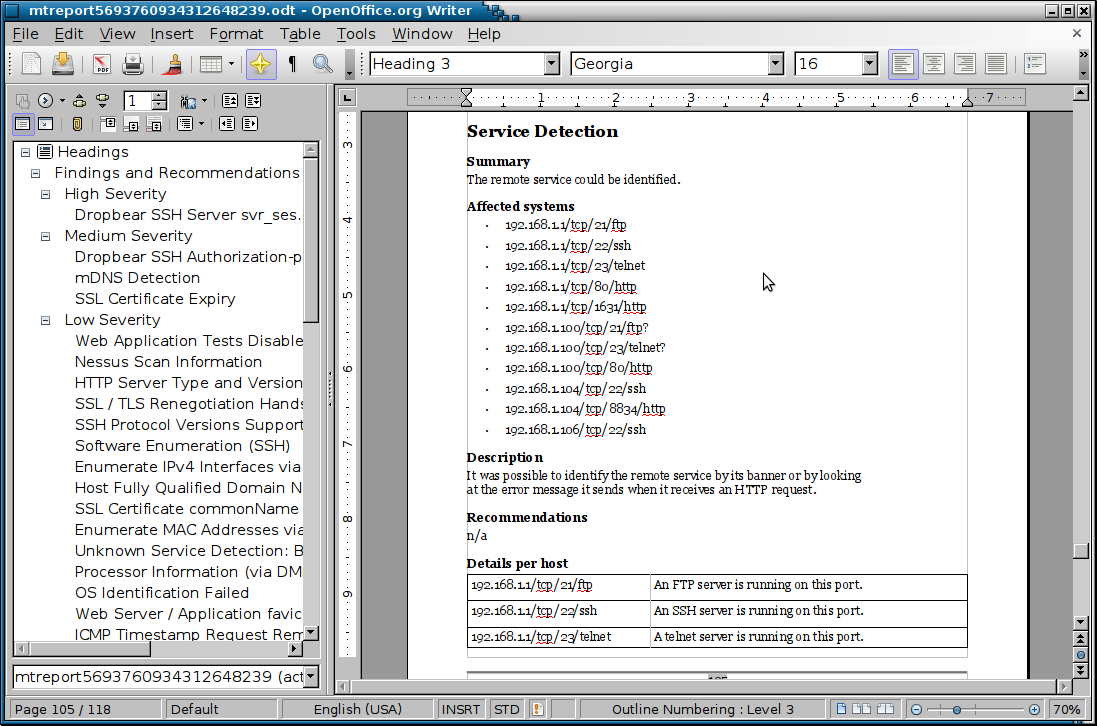
The third set of screenshots demonstrates report generation. The first screenshot shows a report template open in OpenOffice (MagicTree supports Microsoft Word too). The second screenshot is a page from the generated report.
MagicTree Report Template

Generated Report